Vivid Payment Calculator
R2,999 feels like a lot. R749.75 × 4 does not. This puts that line under every product price, and one tap shows each of your buy-now-pay-later providers with the real per-payment amount for that product.
Free for 3 providers · Pro R49/month · instant licence on payment
What it actually does
It is not a payment-fee calculator and it does not touch checkout. It is one thing, on the product page, done properly.
Per-product amounts
The per-payment figure is worked out from that product’s own price, server-side: price × (1 + interest) ÷ number of payments. No manual maths on any product, ever.
The cheapest option leads
The “From” line automatically shows the lowest per-payment amount across all your providers, so the smallest number is the one the shopper sees first.
Your providers, your terms
Happy Pay, Payflex and PayJustNow presets are included. Add Mobicred, RCS, FeverTree, Chipin or anything else — name, logo, description, number of payments, optional interest rate and a Learn More link.
Variable products handled
A product with variations calculates from its lowest variation price, so the “From” line is honest rather than optimistic.
Four display styles
List, Table, Tabs or Cards — switch between them with one dropdown and no code.
Place it where you want
Automatically after the price or before the add-to-cart button, or drop it anywhere with the [payment_installments] shortcode or the Gutenberg block.
The four display styles
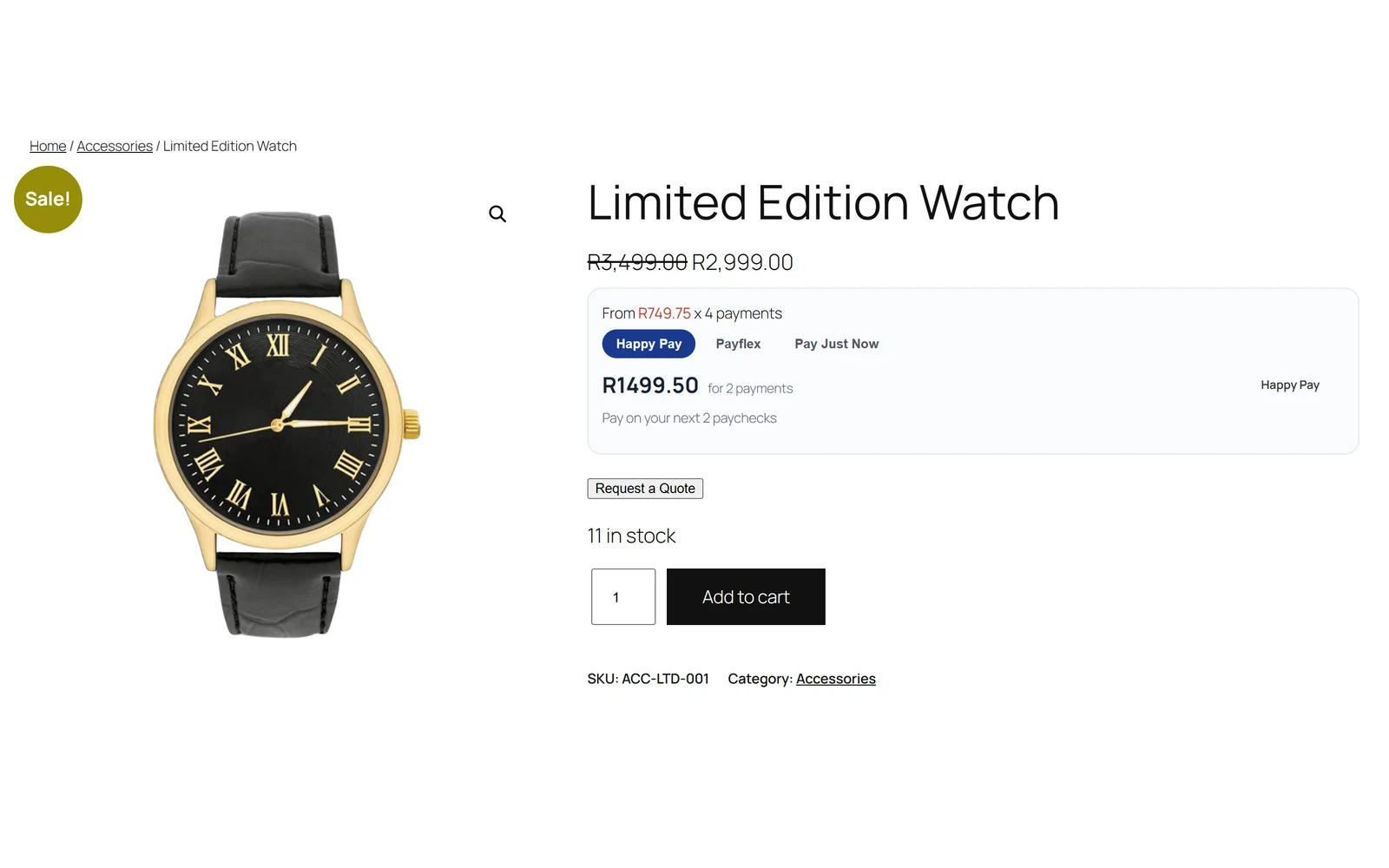
All four screenshots below are the same plugin on the same R2,999 product. Nothing here is a mock-up.
List — compact until they ask
The default. One line under the price, and a link that expands to the full provider list. Takes almost no vertical space until the shopper is interested.
- The “From” line plus an expand link you can rename
- Each provider shows its plan, its per-payment amount and the number of payments
- A Learn More link per provider for shoppers who have not used one before
- Best when your product pages are already busy
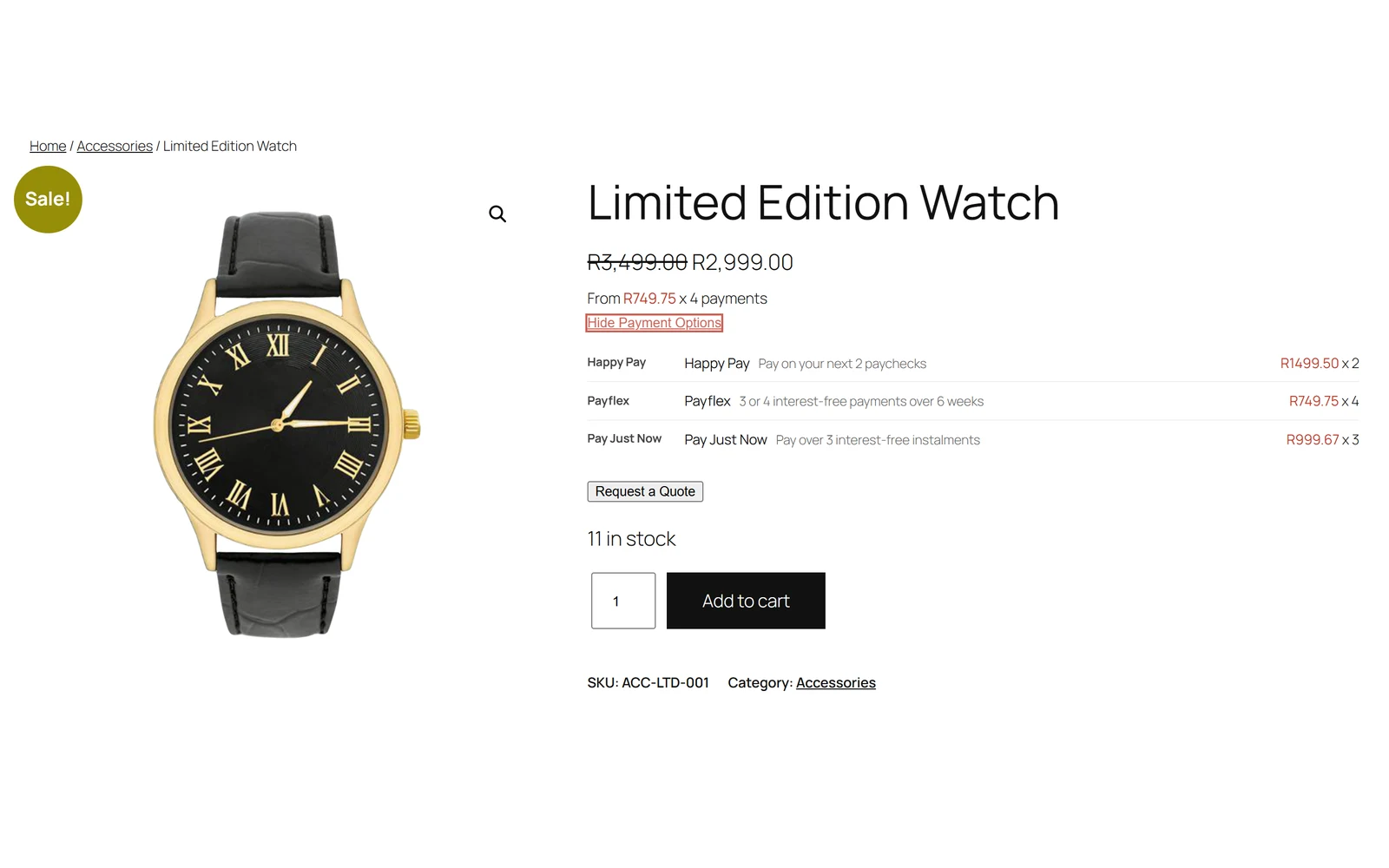
Tabs — one “pay later” card
A tab per provider inside a single panel, with the per-payment amount set large. The style the big retailers use.
- The first provider is open by default — nothing to click to see a number
- The amount is the headline, with “for N payments” beside it
- The provider’s own description underneath
- Best when you want one confident, uncluttered block
Cards — everything at once
A card per provider, side by side. Nothing to expand and nothing to click.
- Every provider and every amount visible immediately
- Wraps to one column on a phone
- Best when you want shoppers comparing options rather than choosing one
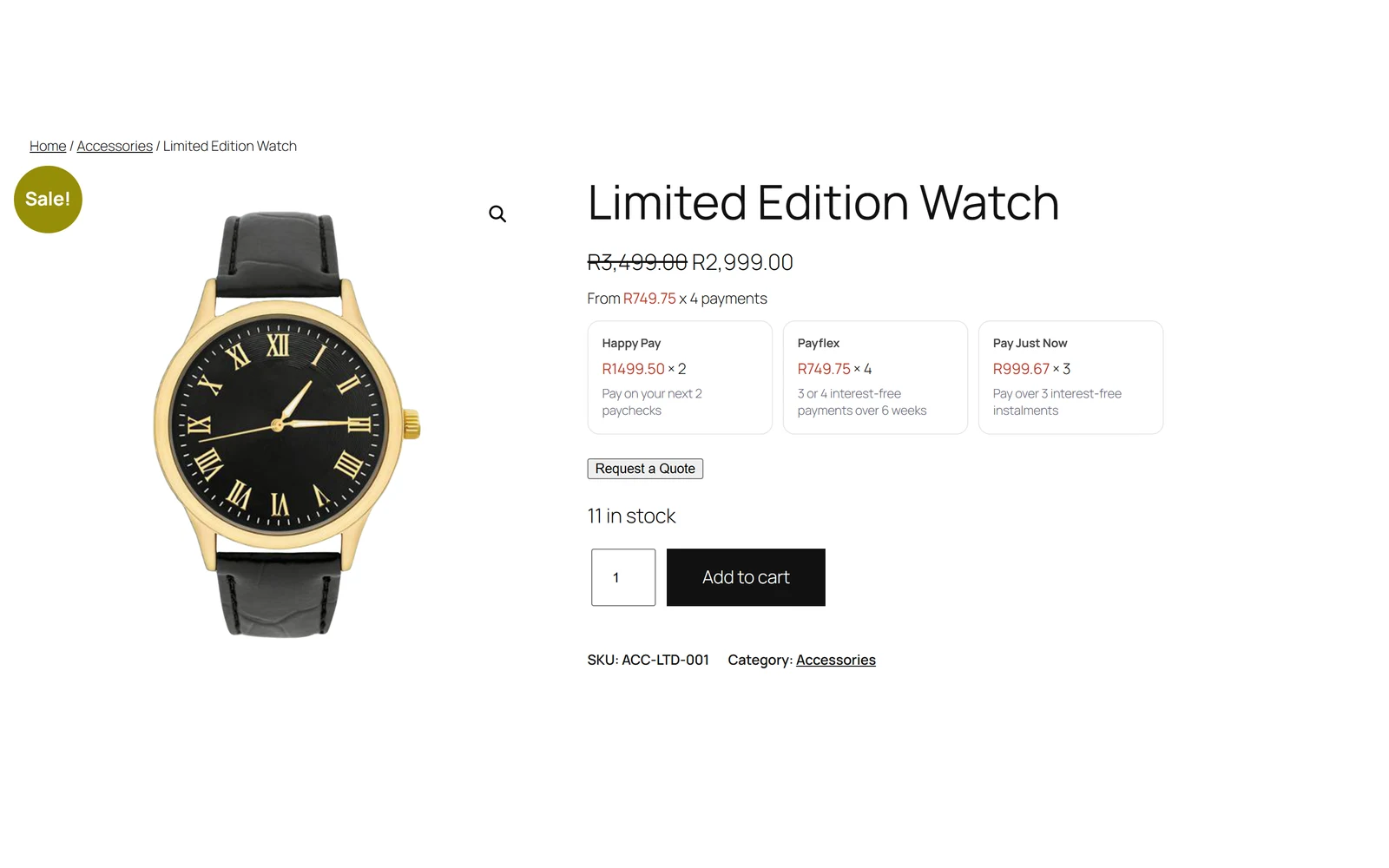
Table — plain and comparable
Provider, plan and per-payment in columns. The clearest layout when you carry several providers with different terms.
- Per-payment amounts line up for easy comparison
- The Learn More link gets its own column
- Best for higher-value products where people read carefully
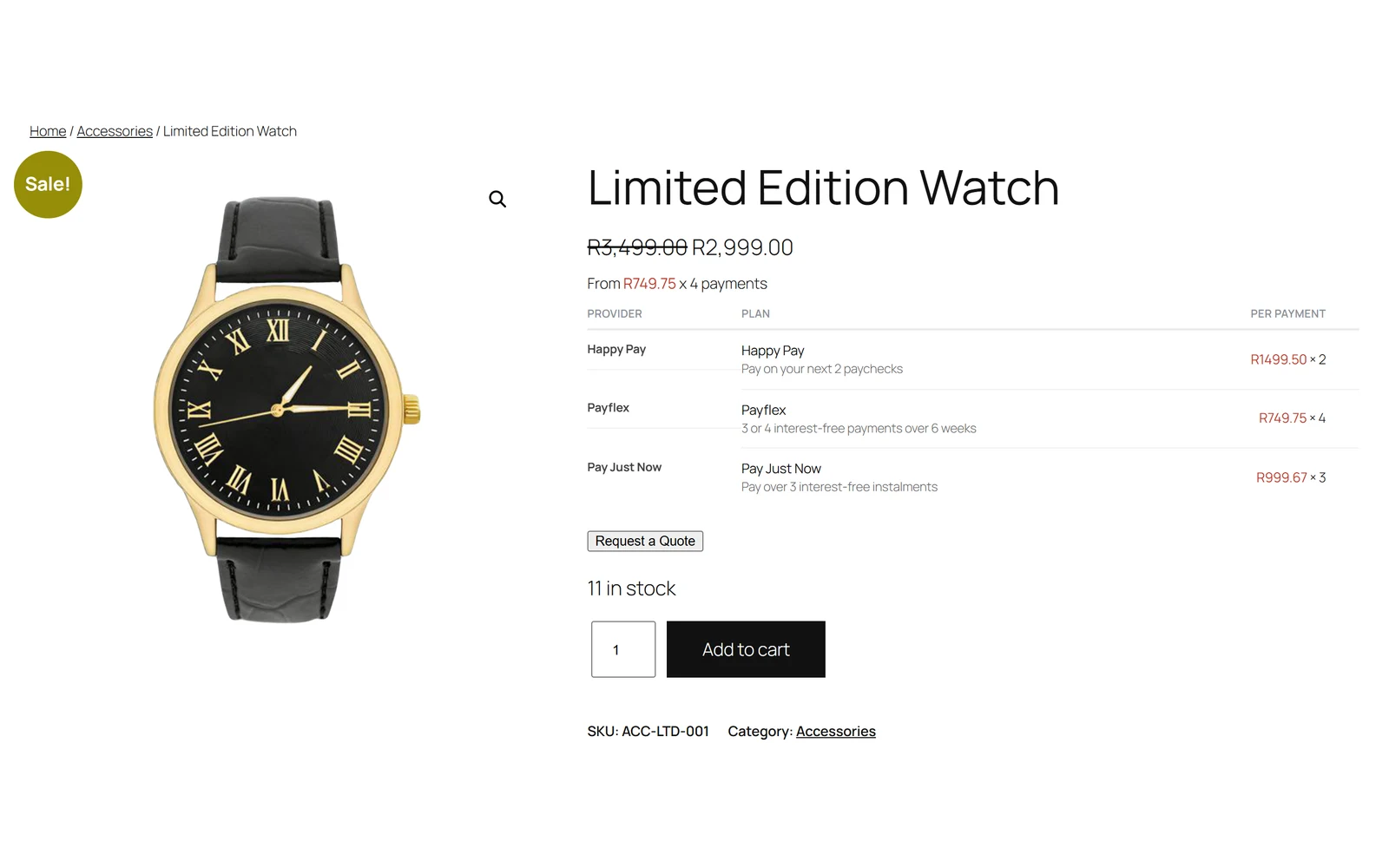
The demo providers above have no logo uploaded, so the plugin falls back to the provider’s name. Upload a logo and it appears in its place.
Setting it up
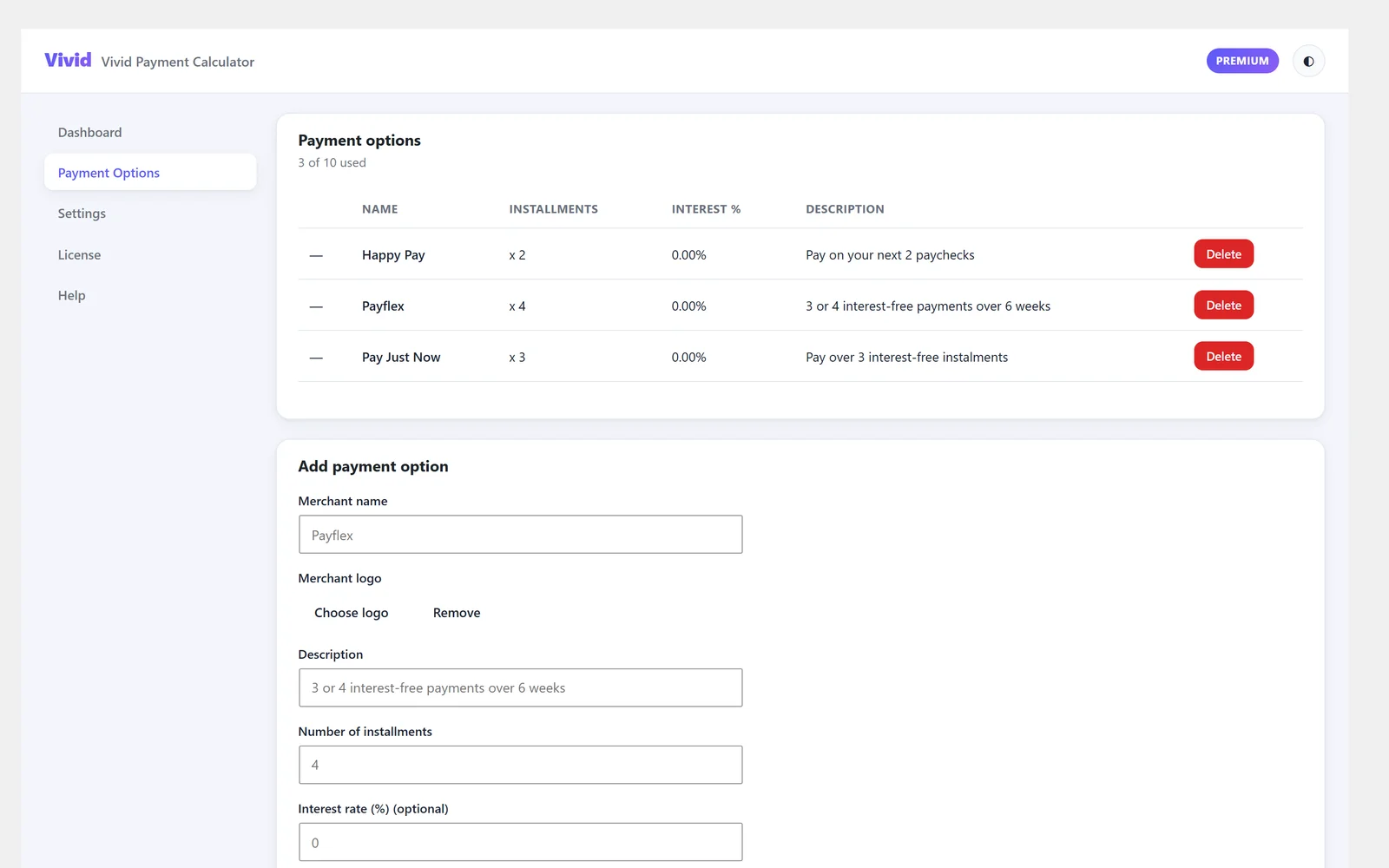
Two screens. Real screenshots of the plugin admin.
Add the providers you actually use
Happy Pay, Payflex and PayJustNow are set up for you. Add any other provider in the form underneath.
- Merchant name, logo and a short description — shown to the shopper exactly as you write it
- Number of instalments, and an interest rate if the plan is not interest-free
- An optional Learn More URL per provider
- A counter showing how many of your allowance you have used — 3 on Free, 10 on Pro
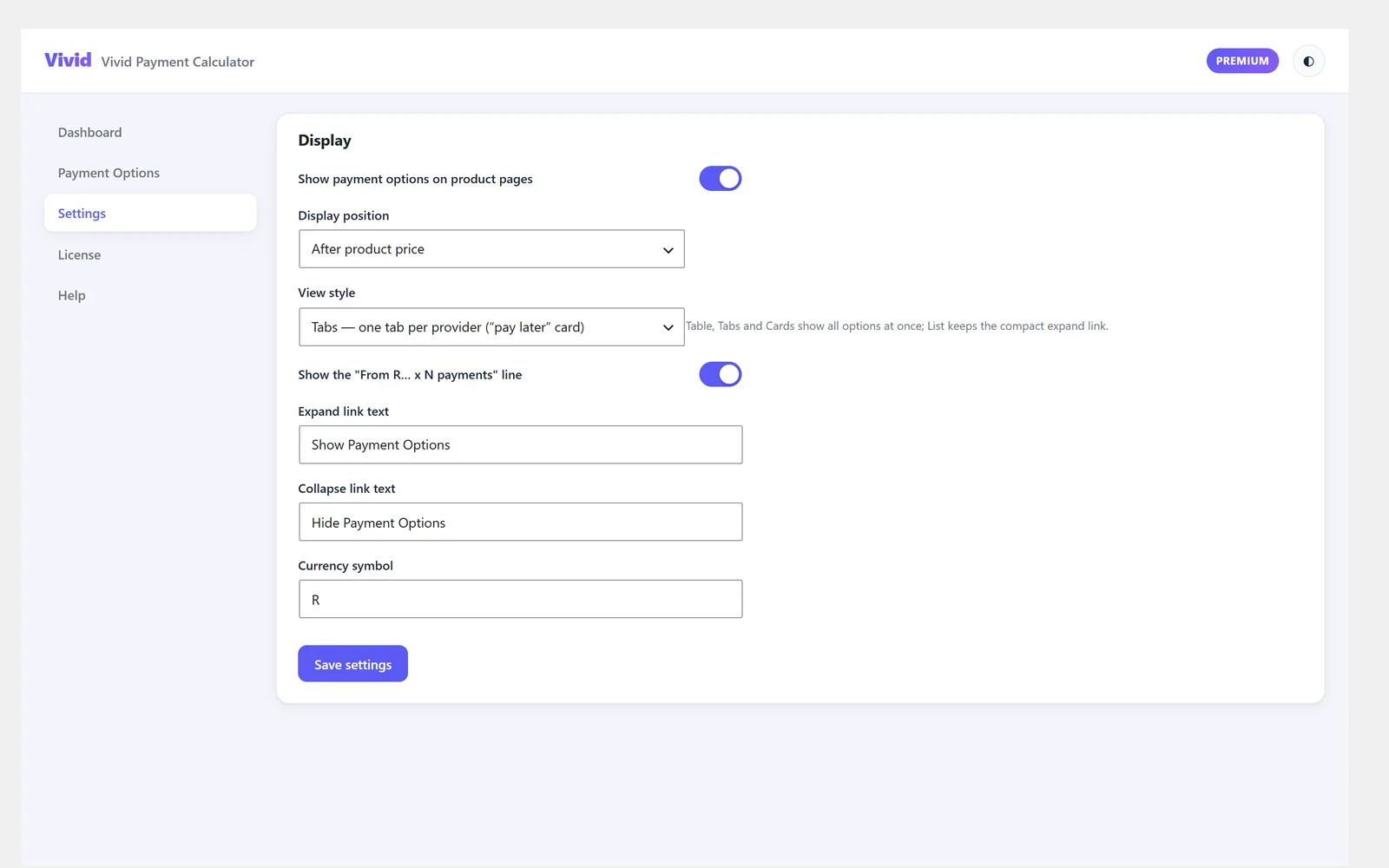
Position, style and wording
Where it appears, which of the four styles it uses, and the exact words the shopper reads.
- Display position: after the product price, before add-to-cart, or shortcode only
- View style: List, Table, Tabs or Cards
- Turn the “From R… x N payments” line on or off
- Rename the expand and collapse links
- Set your own currency symbol
Honest about the edges
Things worth knowing before you buy.
It does not take payments
This shows what the instalments would be. The shopper still pays through whatever gateway you already use, or signs up with the provider directly.
Product pages only
It renders on the single product page — not the shop grid, cart or checkout. The shortcode and block let you place it elsewhere if you want to.
Nothing to connect
No provider account, no API key, no approval process. You enter the terms you have been given and it does the arithmetic.
Pricing
Per site, in Rand. The free tier is free forever.
Free
Most stores, honestly
forever
- Up to 3 payment providers
- All four display styles
- After price, before cart, or shortcode
- Per-product amounts and the “From” line
- Provider logos and Learn More links
Pro
Stores carrying several BNPL providers
or R490/year — 2 months free
- Everything in Free, plus:
- Up to 10 payment providers
- The “Powered by Vivid” line removed
- Automatic updates from our own servers
Make the price look affordable
Install free, add your providers, pick a style. Upgrade when you need more than three.
Get Vivid Payment Calculator