Vivid WhatsApp
Turn website visitors into WhatsApp conversations. A beautiful chat widget with agents, departments, business hours and analytics — free to start, installed in two minutes.
See it on your site
A friendly WhatsApp widget your visitors actually use — on every page, on every device.
Everything a chat widget should do
Plus the analytics to prove it's working.
Agents & departments
Route visitors to sales, support or any team member — each with their own number, photo and greeting.
Business hours
Show online/offline status automatically, with weekly schedules and holidays on Pro.
Gutenberg block & shortcode
Float the button site-wide, or drop the widget inline on any page with the block editor.
Layouts
Floating button free; minimal, card, popup and sidebar layouts on Pro.
Click analytics
See clicks per agent and per page — on Business, tie chats to WooCommerce orders.
Notifications
Webhook, Slack and email notifications on the Business plan.
Every enquiry to the right person
Add as many agents as you need on Pro, each with their own number, photo, greeting and department — so sales questions reach sales and support reaches support.
- Unlimited agents & departments (Pro)
- Per-agent photo, role & greeting
- Business hours & holiday schedules
Analytics that prove it works
Every click is tracked — see which agents and which pages drive the most chats, and on Business tie conversations back to WooCommerce orders.
- Clicks per agent & per page
- Daily & weekly trends
- WooCommerce conversion tracking (Business)
Every screen, for real
Genuine screenshots of the plugin running on a live WooCommerce store.
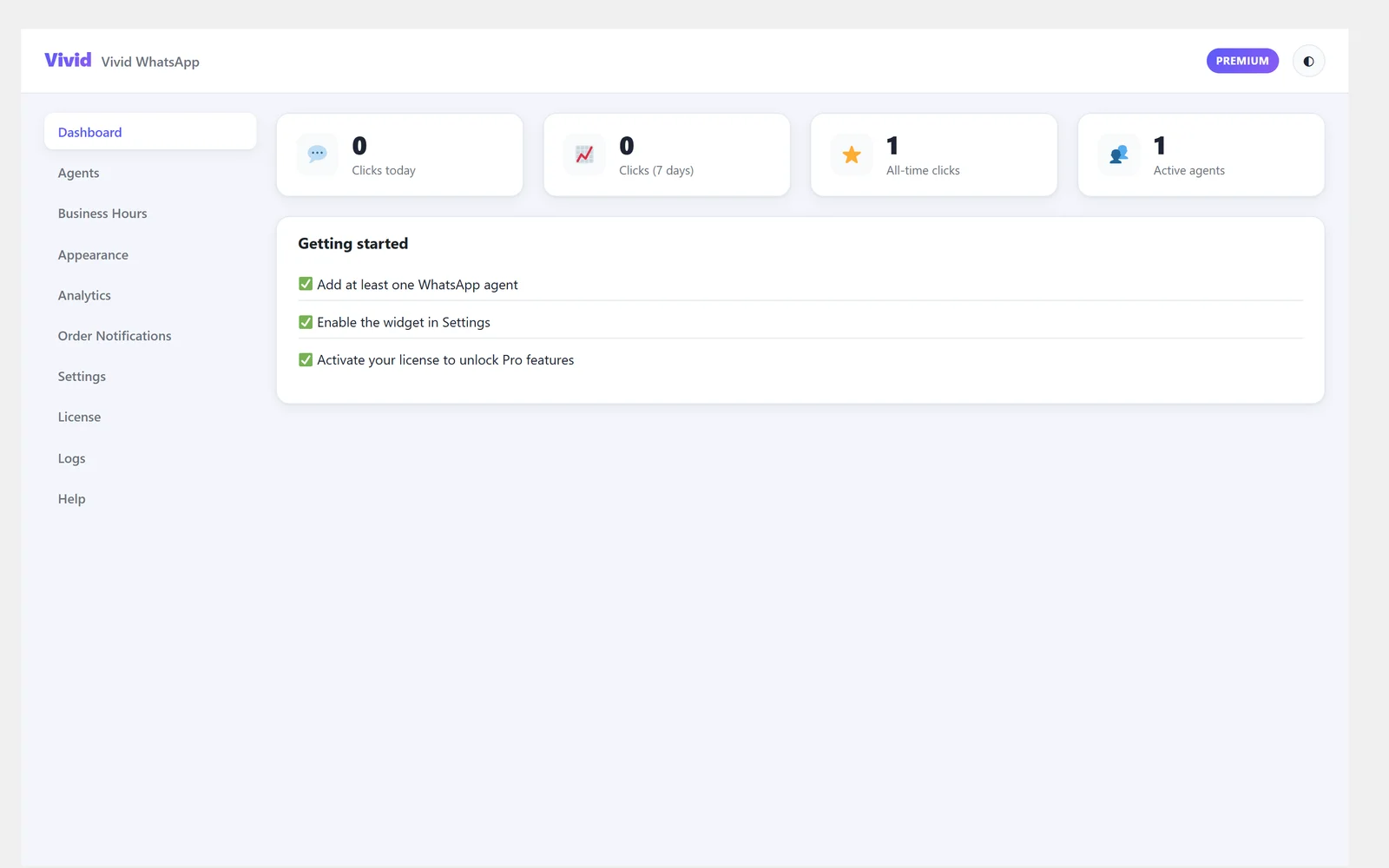
What the button is doing
Agents, status and recent activity on the screen you land on.
- Who is online and which departments are covered
- Clicks on the button, so you know it is being used
- Everything reachable from one menu in WordPress
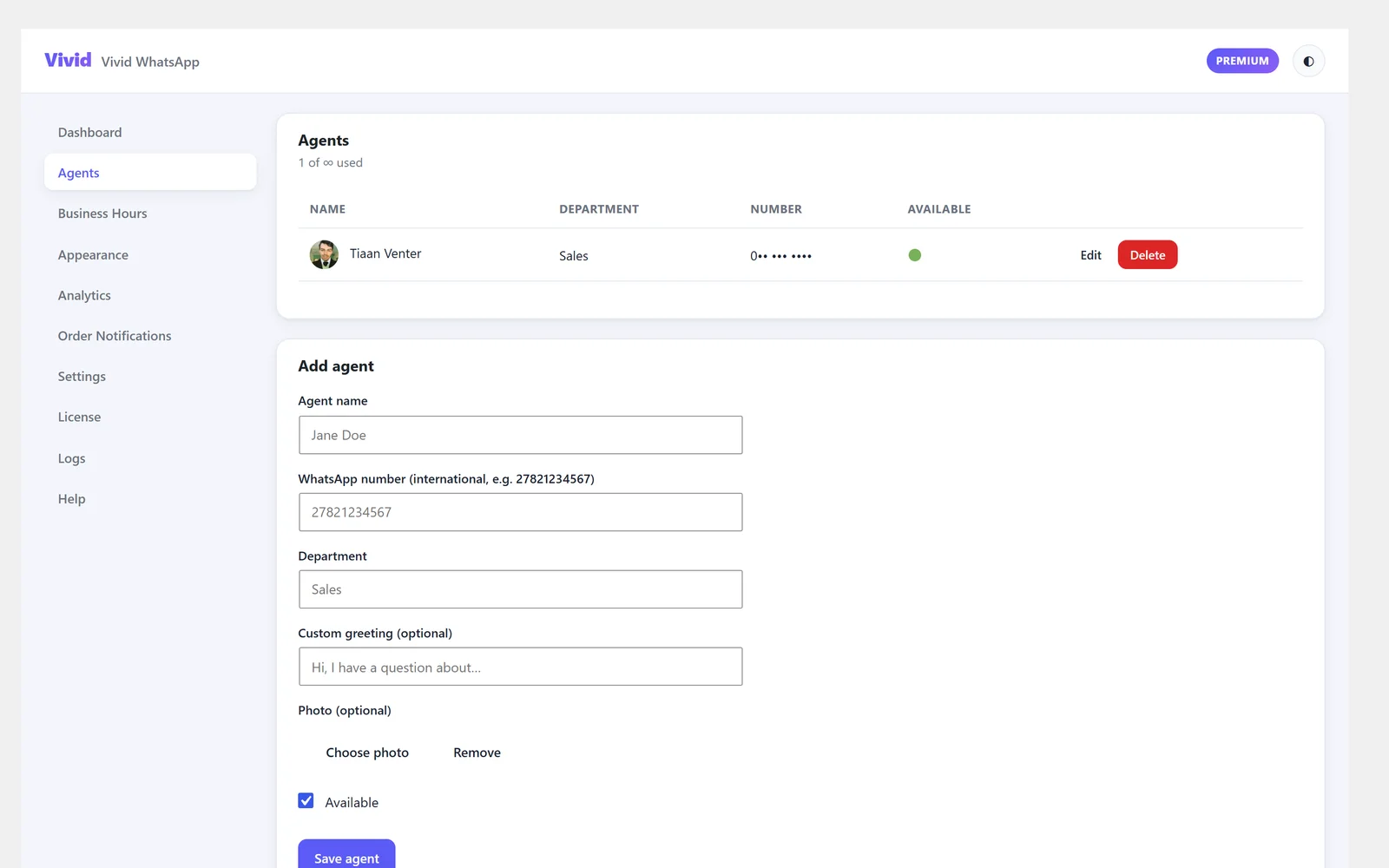
Your team, not one shared number
Add each person with their own number, role and photo, and let the customer pick who to talk to.
- Name, role, department and avatar per agent
- Each agent gets their own WhatsApp number
- Unlimited agents on Pro — one on Free
- A per-agent opening message, so the chat starts in context
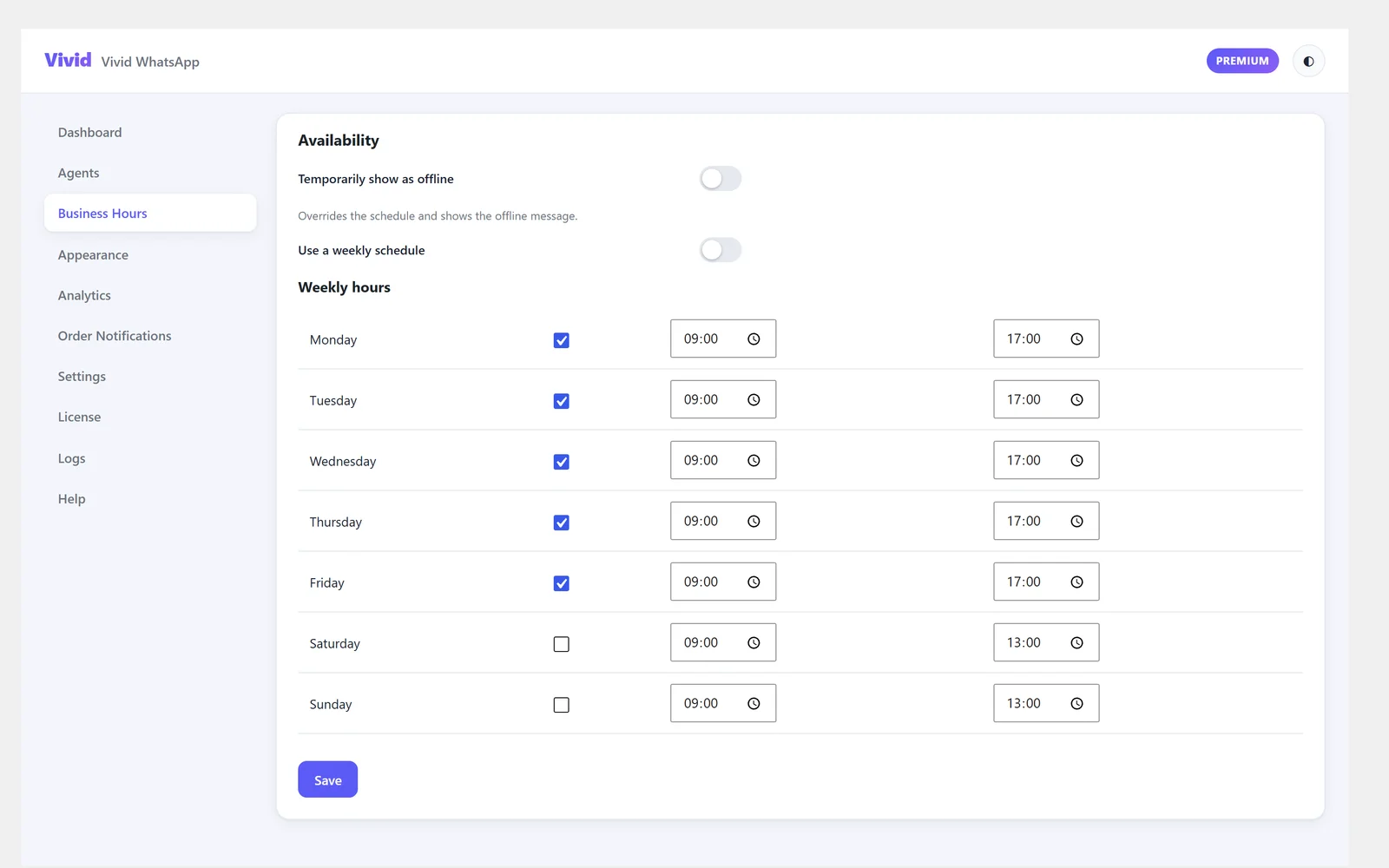
Nobody messages a closed shop
Set the hours each agent is available, and the widget shows their real status instead of pretending.
- Per-agent schedules, day by day
- An online or offline badge next to the agent
- An out-of-hours message so the customer knows when to expect a reply
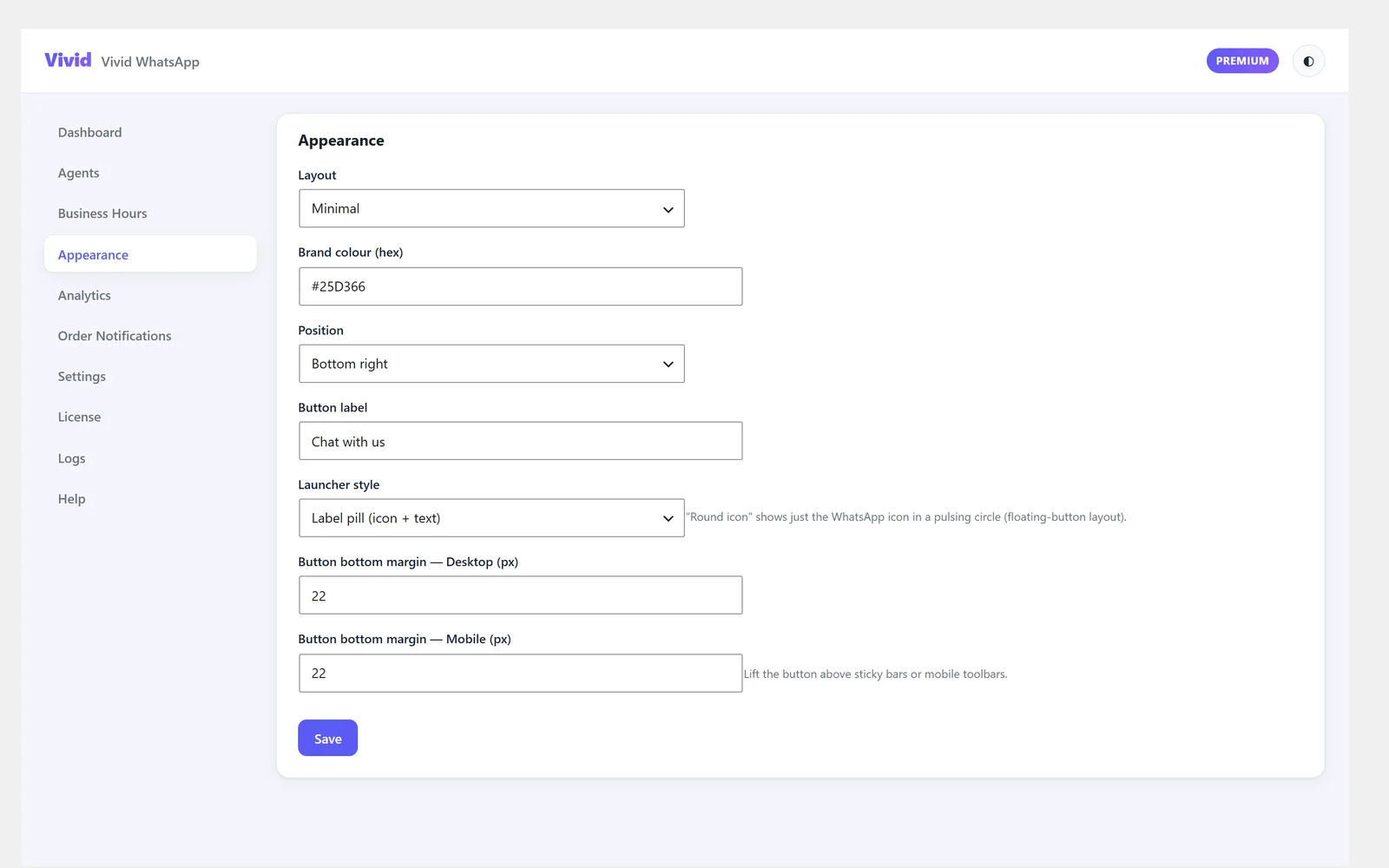
Make it fit your site
Layout, colour, position and launcher style — including a round pulsing icon instead of a label pill.
- Minimal or full layouts, bottom left or bottom right
- Your own brand colour and button label
- Round pulsing icon, or icon plus text
- Separate bottom margins for desktop and mobile, to clear sticky bars
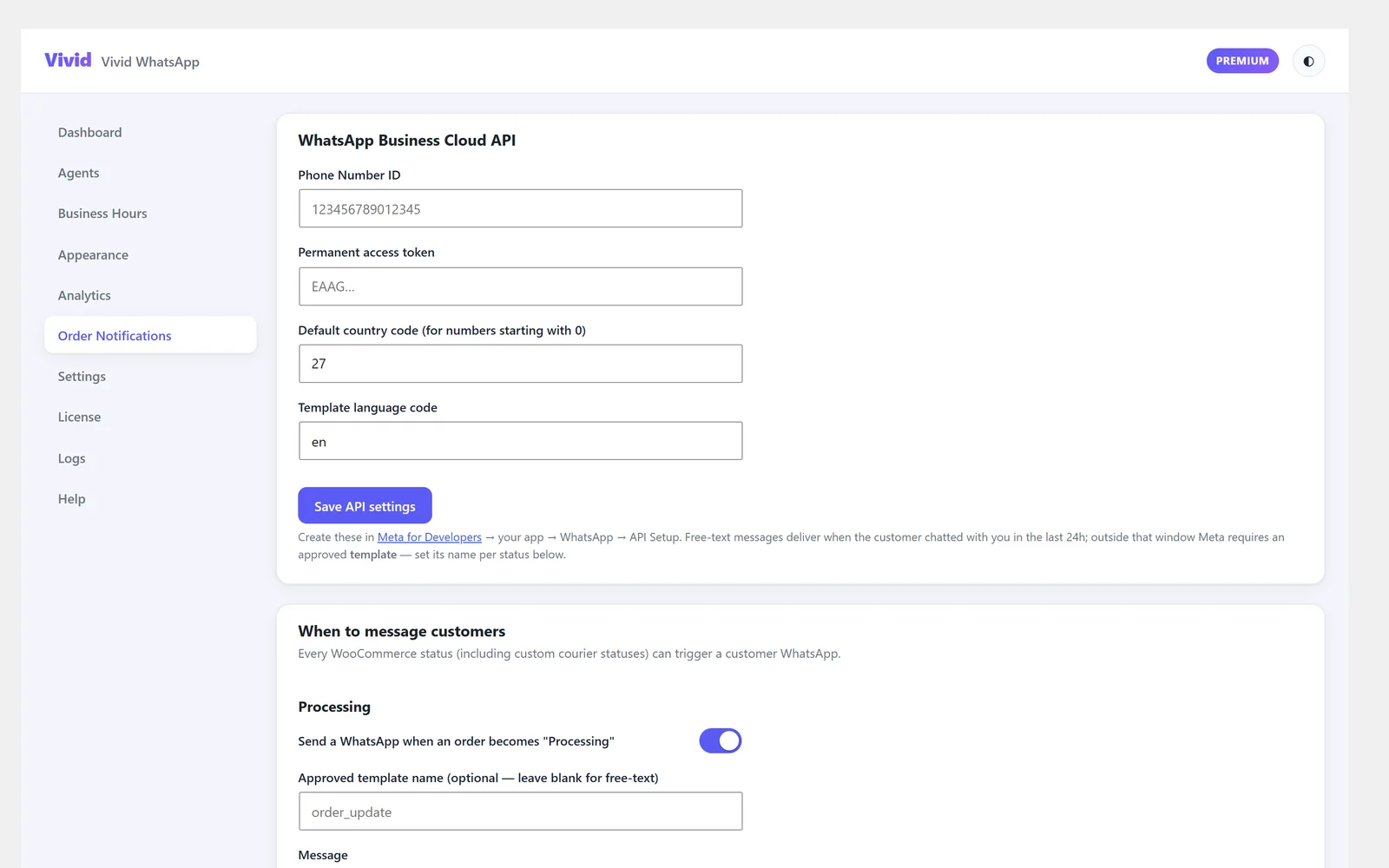
Tell customers where their order is — on WhatsApp
Connect the WhatsApp Business Cloud API and every WooCommerce status, including your courier’s custom ones, can send the customer a message.
- A separate message per order status, each switched on or off
- Placeholders for name, order number, total, status and site
- Approved Meta templates for messages outside the 24-hour window
- A default country code, so numbers starting with 0 still deliver
Proof it is earning its place
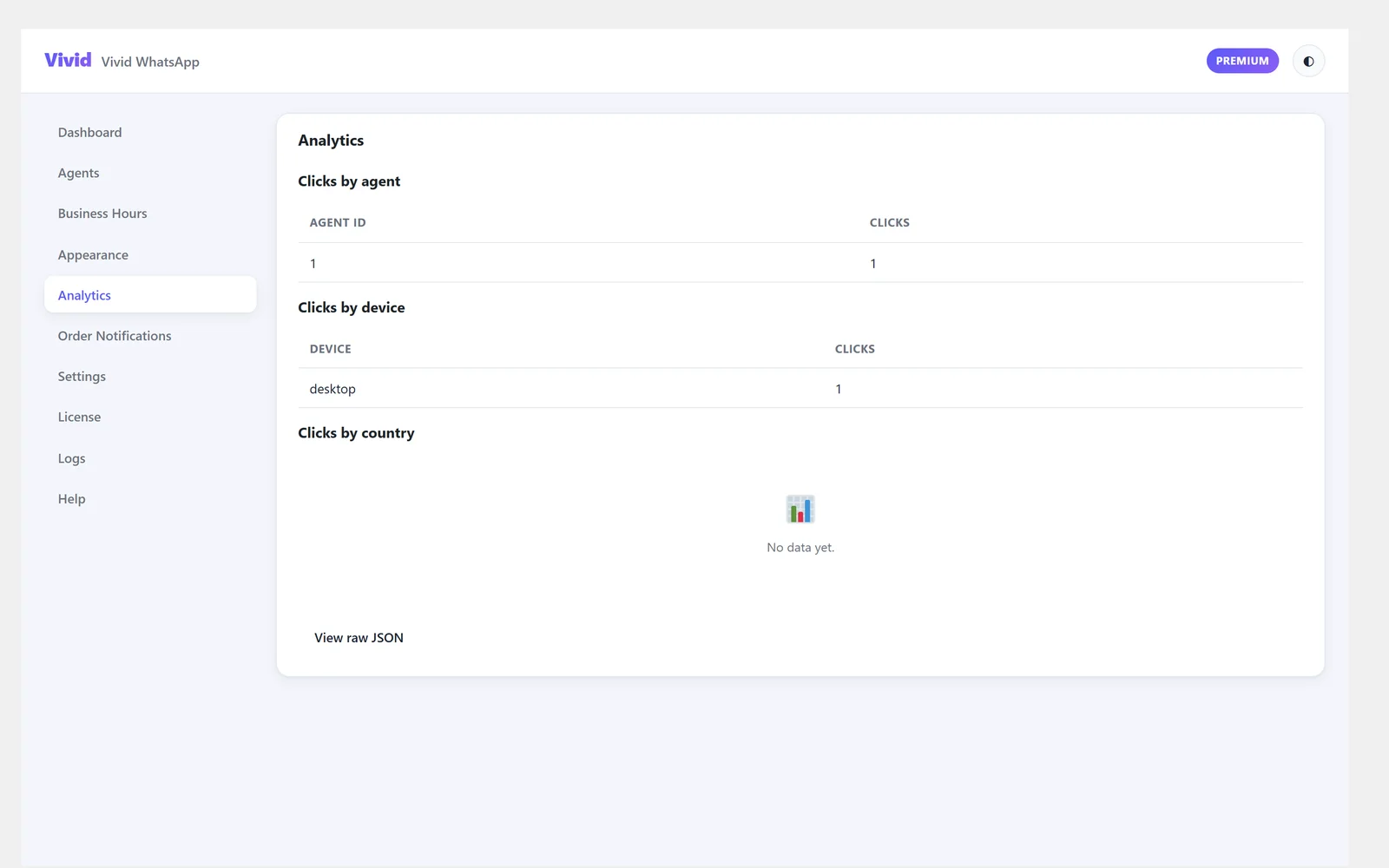
Clicks counted per agent and per page, so you can see which pages actually start conversations.
- Clicks over time
- Which agent is getting the traffic
- Which pages the chats start from
Pricing
Per site, in Rand. The free tier is free forever.
Free
Every WordPress site
forever
- 1 WhatsApp agent
- Floating button widget
- Greeting & offline message
- Basic business hours on/off
- Gutenberg block + shortcode
- Click counter
Pro
Serious about WhatsApp sales
or R990/year — 2 months free
- Everything in Free, plus:
- Unlimited agents
- Departments
- Weekly & holiday schedules
- All layouts (minimal, card, popup, sidebar)
- Full analytics dashboard
Business
WooCommerce stores & teams
or R1,990/year — 2 months free
- Everything in Pro, plus:
- WooCommerce conversion tracking
- Data exports
- Webhook / Slack / email notifications
| Feature | Free | Pro | Business |
|---|---|---|---|
| WhatsApp agents | 1 | Unlimited | Unlimited |
| Departments | — | ✓ | ✓ |
| Weekly / holiday schedules | — | ✓ | ✓ |
| Pro layouts | — | ✓ | ✓ |
| Analytics dashboard | Clicks only | ✓ | ✓ |
| WooCommerce conversions | — | — | ✓ |
| Exports & notifications | — | — | ✓ |
Your customers are already on WhatsApp
Meet them there. Install free today — upgrade whenever you're ready.
Get Vivid WhatsApp